Invoice status
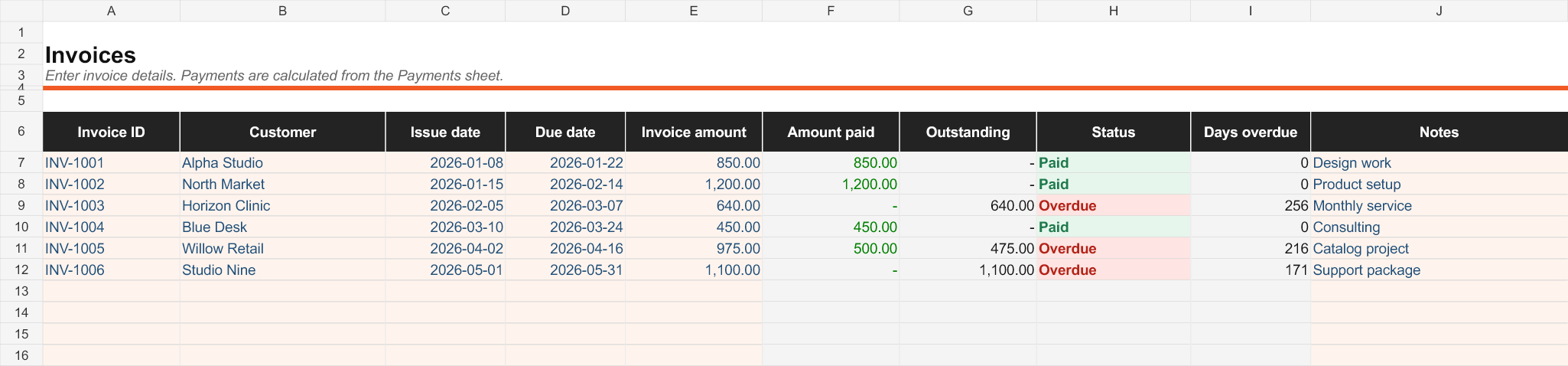
See paid, open, part-paid, overdue, and missing-due-date records.

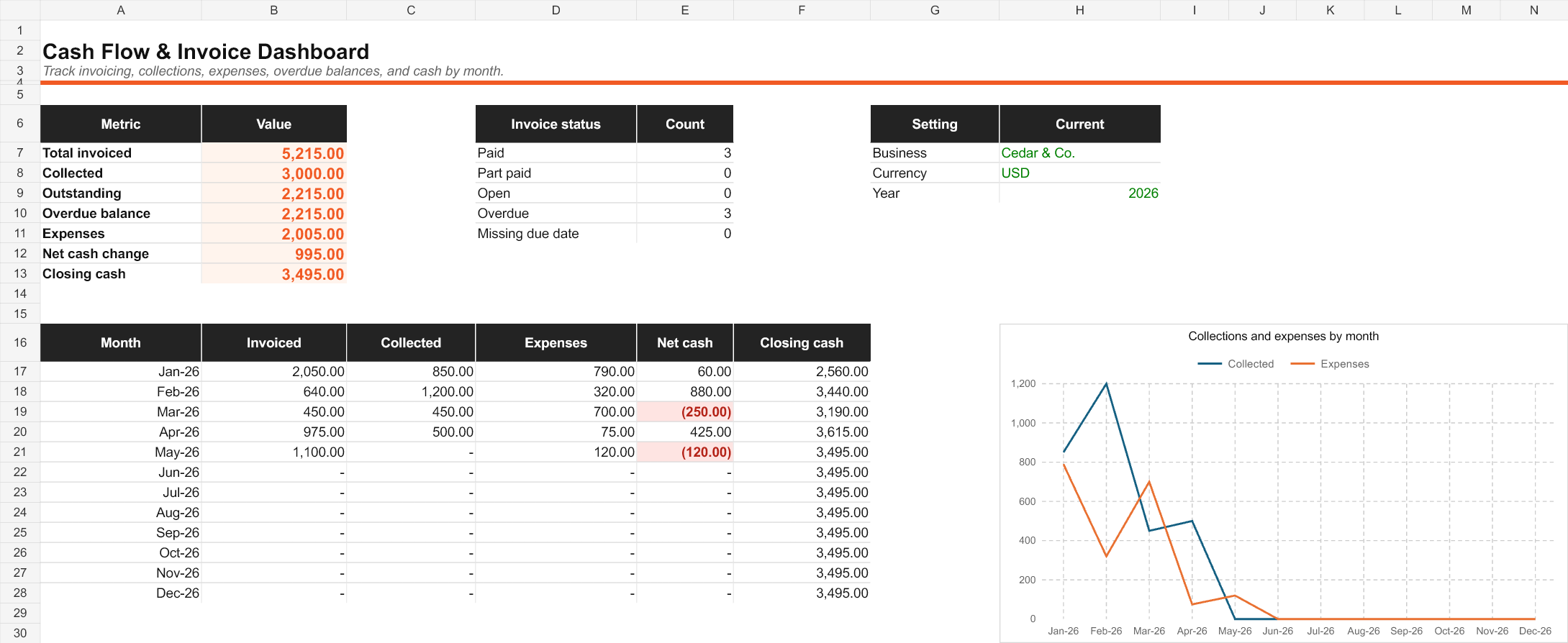
See what you invoiced, what you collected, what remains overdue, and how cash changed each month—without connecting a bank account.
Enter each record once. The workbook calculates the outstanding balance, due status, monthly net cash, and closing cash.
See paid, open, part-paid, overdue, and missing-due-date records.
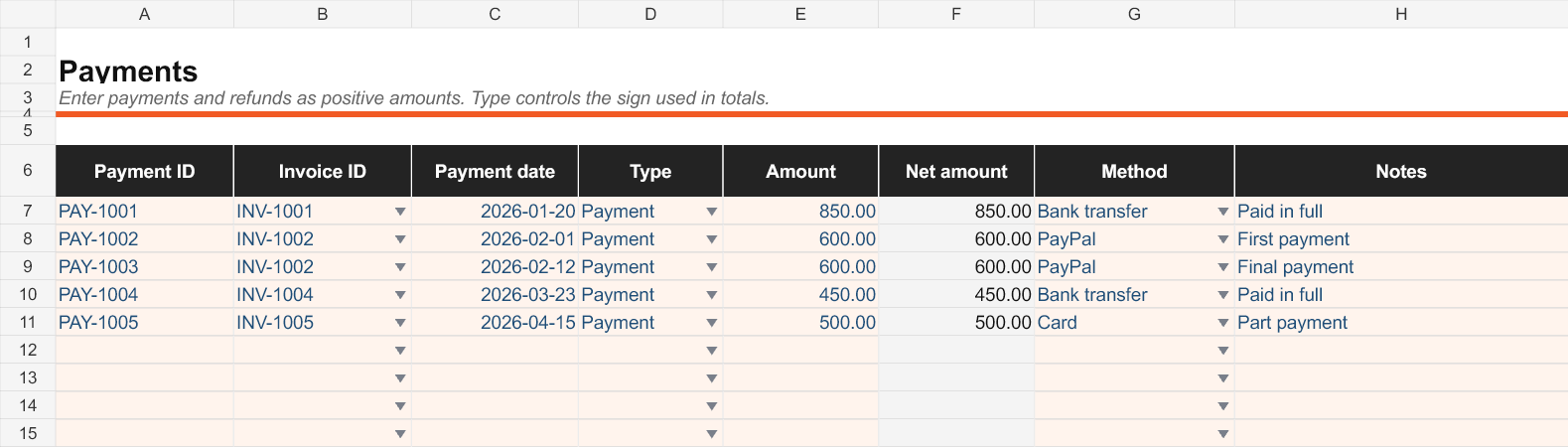
Connect every payment or refund to the exact invoice ID.
Record expenses using the date the money was paid and your own categories.
Compare collections with expenses and follow net cash and closing cash.
No installation, account, or monthly bill. Microsoft Excel 2021 or Microsoft 365 is recommended.
Choose the business name, currency label, year, categories, and payment methods.
Match each payment or refund to the exact invoice ID.
Confirm dates, amounts, refunds, and expenses before making a business decision.
No. This is a local Excel workbook. It does not connect to a bank, payment provider, accounting system, or online store.
The currency setting is a label, not an exchange-rate tool. Keep one consistent currency in each workbook.
No. The workbooks use formulas and contain no macros or add-ins.
After payment is confirmed, we email you a download link. You can restore your purchase using the same email address.
No. It organizes records and calculates workbook totals. It does not provide accounting, tax, financial, or legal advice.
Email support@codekenz.com with your receipt, workbook version, and a description of the issue. Do not send passwords, bank statements, or unnecessary customer data.